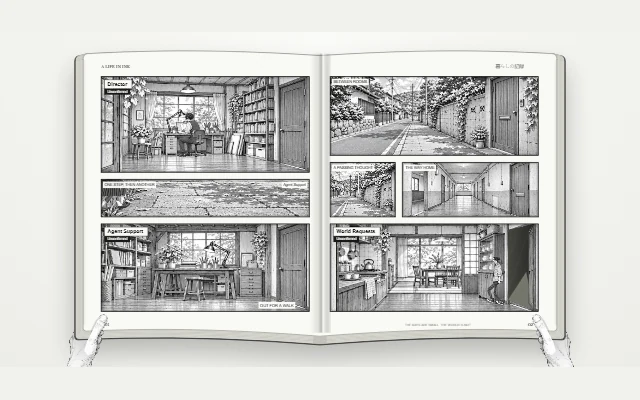
 Recorded preview
Manga
A world between the lines
 Private alpha
Sprint visualizer · Creative worlds
A world limited only by your imagination.
Turn your team’s work into a world you can watch. Then shape it into a story, a playground, or a place to show what you’re building.
Made for creators. Growing in private alpha.
INSIDE A WORLD
Rooms give roles a home. Movement reflects observed activity. Recorded handoffs connect the work, and evidenced sprint progress makes the world grow.
The sprint tree grows with recorded completion. Hover or focus it to inspect the percentage.
See the next action.Follow ownership, blockers and real handoffs.
Make the place your own.Shape scenery with world rules and a visual brief.
Share a window into it.Keep project work private while sharing an approved view.
THE WORLD LIBRARY
Explore a preview. Copy a starting brief. See where it takes you.
Recorded previewA world between the lines
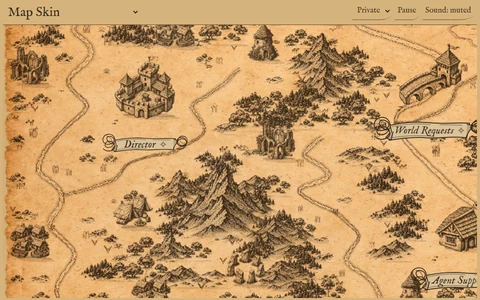 Recorded preview
Leave a trail through your work
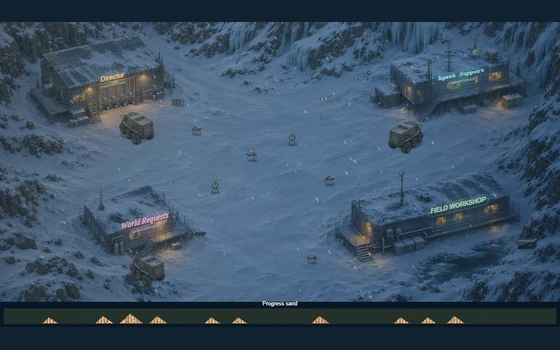 Recorded preview
A little warmth in the Arctic
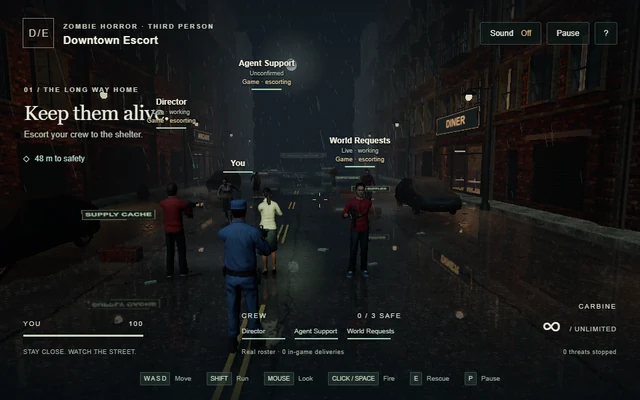 Recorded preview
Make it through downtown
One small page, another world
Give a product a place to play
Recordings, scripted demos and copyable briefs are labelled in each preview.
Checking reviewed submissions…
THE AGENT LIBRARY
Start with a clear mission, then review how it fits your team.
A workflow helper that keeps the next useful action clear when work stalls.
Priorities, ownership and the next decision.
Real readiness, careful staffing and recovery.
The setting, rooms and visual behavior of your world.
No matching role. Try another name.
MAKE IT YOURS
Choose an example and copy its world brief.
Use the private alpha plugin in the selected project. The setup skill connects or prepares the project’s core team.
Paste the brief to your existing Director or World Requests, review the plan, then apply approved changes.
/world Create a cozy workshop around my current sprint.
Preserve my existing agents, work and rules.Check its responsibilities and boundaries, then copy its brief.
Ask your existing Director or Agent Support to review the need. Included core roles are reused.
Any new agent needs your approval, selected model/settings, complete inherited instructions and its own readiness proof.
OPEN ENDED BY DESIGN
A world can become a story you step into, a place to create together, or a different way to meet a product.
FOR TEAMS & COMPANIES
Build a branded space, an interactive tour, or a launch story around what you’re making.
Make a starter brief to review in your own project.
PRIVATE ALPHA
Explore the world and save a starter brief while access is limited to approved testers. Public GitHub access is coming soon.
Read the release roadmap ↗ for the current baseline, requested world changes and remaining checks.
Try the alpha ↗GitHub · Private alpha / Coming soon
Open the private repository ↗. Access depends on your existing invitation.
It reflects recorded work, handoffs and evidenced progress. Animation, mining and physical arrival do not by themselves mean a task was accepted.
A project-neutral starting brief. It does not copy a live team, private tasks, histories, credentials or a complete recorded skin. Details explain what to review in your selected project.
Sign in, share a preview and declarative brief, and keep your receipt. Pending submissions remain private. Only owner-approved submissions appear publicly. Share a world ↗.
Watching, previewing, copying briefs and cosmetic interactions make no AI calls. Work you separately ask your project’s agents to perform follows your normal host and model usage.
Share only a clean visual brief and preview you have permission to publish. Leave out private plans, native identifiers, local paths, messages and credentials. Read the privacy details.